Adorn vs DataFeedWatch
DataFeedWatch manages your feed data; Adorn designs the creative that feed points at. Use both.
14-day free trial on paid plans. Card needed, first charge on day 14 unless you cancel.
 Before
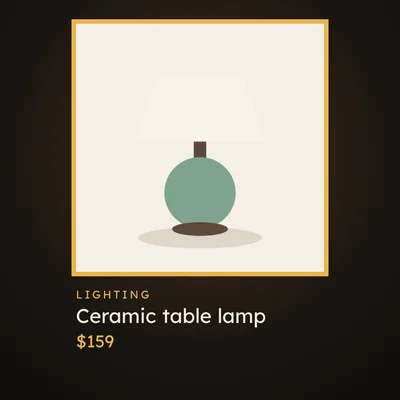 After
The quick verdict
Adorn fits teams that already run DataFeedWatch and want on-brand catalog creative: on Meta through a merge/side-feed, and on Pinterest, Snapchat and TikTok through feeds Adorn hosts.
DataFeedWatch fits teams that need to manage and optimize product-feed data across 2,000+ channels.
Feature comparison
Yes Partly Not listed
| Adorn | DataFeedWatch | |
|---|---|---|
| Designed catalog-ad creative | AdornDesigns the on-brand creative | DataFeedWatchFeed data optimization only, no designed creative |
| Image auto-refresh on price/sale | AdornRedraws the image when price, sale, stock or design changes, checked every hour on paid plans or at once from Shopify | DataFeedWatchFeed data syncs 1 to 5 times a day, by plan |
| Meta catalog ads | AdornThe main channel: 1:1, 4:5 and 9:16 designs, plus A/B tests and ad results, which only Meta gets | DataFeedWatchFeeds Meta product data among 2,000+ channels |
| Feed management depth | AdornAdds a Meta side feed DataFeedWatch merges in, and makes a Google Shopping feed of your own photos | DataFeedWatchFeed management/optimization, 2,000+ channels |
| Multi-channel breadth | AdornDesigned images for Meta, Pinterest, Snapchat and TikTok; a Google Shopping feed of your own product photos | DataFeedWatch2,000+ channels incl. Google Shopping, Meta, Microsoft, TikTok |
| Self-serve flat public pricing | AdornA Free plan, three flat paid tiers and quoted Enterprise | DataFeedWatchSelf-serve; 15-day free trial, card needed |
From DataFeedWatch's public product and pricing pages, checked November 2, 2026.
Where Adorn wins
-
Different jobs, use both
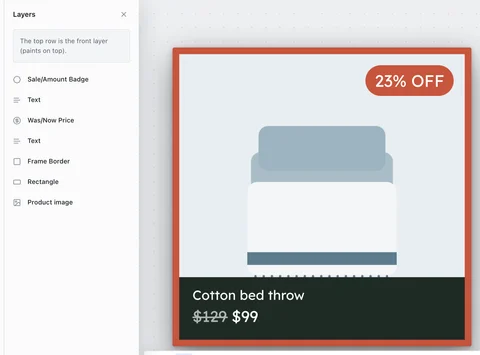
DataFeedWatch manages your feed data; Adorn designs the creative that feed points at. Adorn plugs in via a merge/side-feed, swapping only the image fields while DataFeedWatch keeps owning the feed logic and exclusions.
-
Rendered in-house, no per-image fees
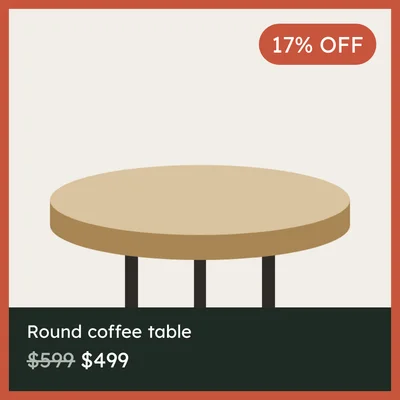
Adorn renders and caches every image in-house, with no per-image fees.
-
Extra images for Meta
Each product in your designed feed also lists its tall and portrait designs, then the images for any A/B test, then your own extra product photos, up to 19 extra images in all.



-
Plain-language rules
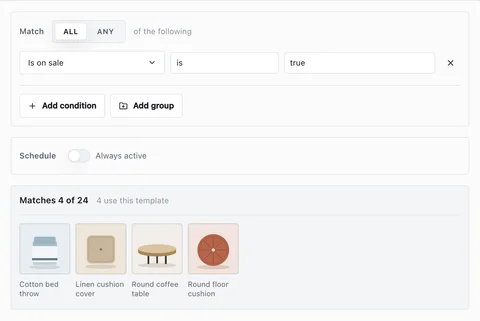
Target products with plain conditional rules (on sale, in a collection, in a price band) with no per-product tagging.
Where DataFeedWatch may fit better
- DataFeedWatch manages and optimizes product-feed data across 2,000+ channels; Adorn adds designed images on top and leaves feed management to DataFeedWatch.
- DataFeedWatch spans 2,000+ channels; Adorn designs images for Meta, Pinterest, Snapchat and TikTok, and its Google Shopping feed carries your own product photos.
Frequently asked questions
Is Adorn a good DataFeedWatch alternative?
No, the two do different jobs. DataFeedWatch manages your feed data, and Adorn designs the catalog ad images. For Meta, DataFeedWatch merges Adorn's side feed onto your product feed. For Pinterest, Snapchat and TikTok (by feed link), Adorn hosts feeds with your designed images.
Can Adorn work alongside DataFeedWatch?
Yes, that's the intended setup for Meta. Adorn publishes a small side feed of designed image links that DataFeedWatch merges onto your product feed by matching on id, swapping only the image fields.
See also: Adorn vs Marpipe · Adorn vs Confect · All comparisons
Start your 14-day free trial
Card needed. Cancel in your account before day 14 and you pay nothing.
Start 14-day free trial